Check whether DLA lets you quote an order
Open an order and read Can you bid this one? and Hunter's take, which say if DLA's codes let you quote and what you need first.
Written By GovPreneurs
Last updated 21 days ago
DLA decides who may sell each part. The order page tells you what DLA's codes say about you. Read it before you spend time on an order.
Steps
- In the left menu, click Small Orders.
- Click an order to open it.
- Find Can you bid this one? near the top.
- Read Hunter's take under it.
- To see the code that Hunter used, find Acquisition code in the facts of the order.
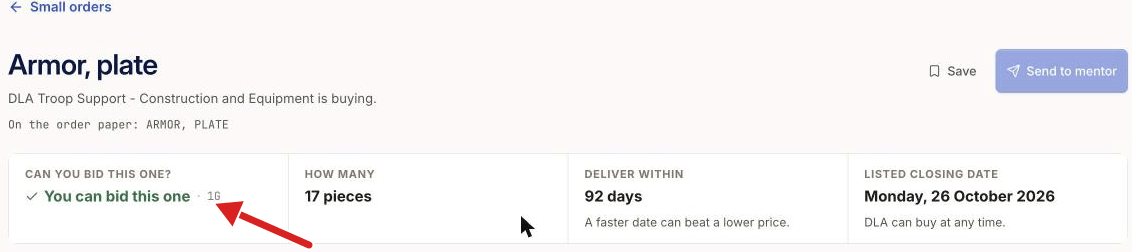
The answers you may see
What you see next
If you cannot bid, or the answer is not clear, Hunter's take gives the reason in plain words. Then it gives the price guidance. See Understand price guidance and past award history. For an open order, read Before you quote to see if you need approval for the drawings.
The answer Not clear from DLA's codes is a gap in the source data. It does not mean that you may bid. The page adds: "Read the order paper before you spend time on it."
Good to know
- Hunter reads DLA's codes. The order paper decides. See Read the order detail and official DIBBS paper.
- A closed order still shows its facts. The answer does not change.
⚠️ If you cannot tell: Ask your mentor before you spend time. See Save a small order or send it to a mentor.
Related articles
Was this helpful?
Still need help? Share an idea