Check whether the government buys what you sell
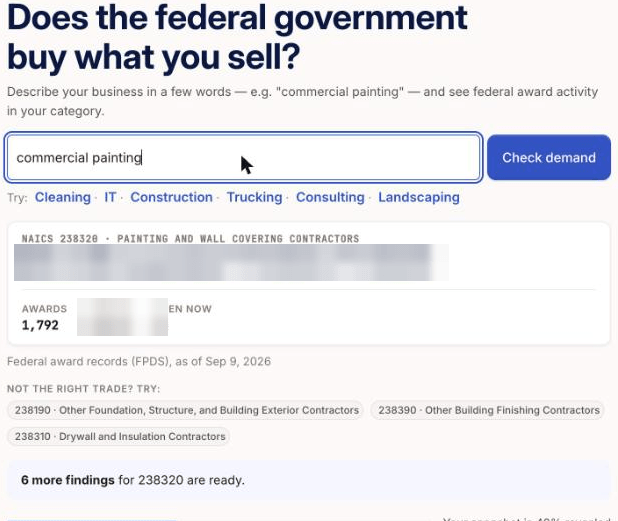
In the Demand check, enter what your business does and click Check demand to see federal award activity in your trade.
Written By GovPreneurs
Last updated 21 days ago
The Demand check shows how much the federal government buys in your trade. It uses federal award records.
ℹ️ Before you start: You do not need a member account. To open the full snapshot, you enter your email and a code. See Sign in to save or unlock a free-tool result.
Steps
- Open tools.govpreneurs.com. Click Demand in the tool tabs.
- Enter what your business does in the field. An example is "commercial painting".
- Click Check demand.
- Read the headline figures that show first.
- To open the full snapshot, click Email me my snapshot. Then follow Sign in to save or unlock a free-tool result.
What you see next
The tool finds the NAICS code that fits your words. NAICS is the North American Industry Classification System. The government uses its codes to sort the work that it buys.
The full Market snapshot has these parts:
- How crowded it is
- Do small firms win here?
- The sweet spot
- Direction
- When agencies buy
- How open the market is
It also lists Top buying agencies. After you open it, click Download snapshot (PDF) to save a copy.
What the numbers mean
The figures come from federal award records, as of the date that the page shows. They count past awards. They are not a forecast.
⚠️ If this does not work: If the code looks wrong, try other words or use Find a NAICS code and its federal award data. For a missing or locked result, read Why a tool result is missing, locked, or out of date.
Related articles
Was this helpful?
Still need help? Share an idea